APA’s Council of Representatives and board needed a way to track organizational initiatives — what was in progress, what was coming up for discussion or a vote, and where in the process each issue stood. The request came through the CIO with a clear sense of what the tool needed to do; the design itself, and making sure it held up as good UX, was mine alone.
The site pairs a landing dashboard with an overview of active initiatives and an issue tracker where each item shows a status badge reflecting where it sits in the process. From the tracker, users can open an individual issue to see attached files, a timeline of its movement, and mark it as a favorite for easier ongoing tracking.
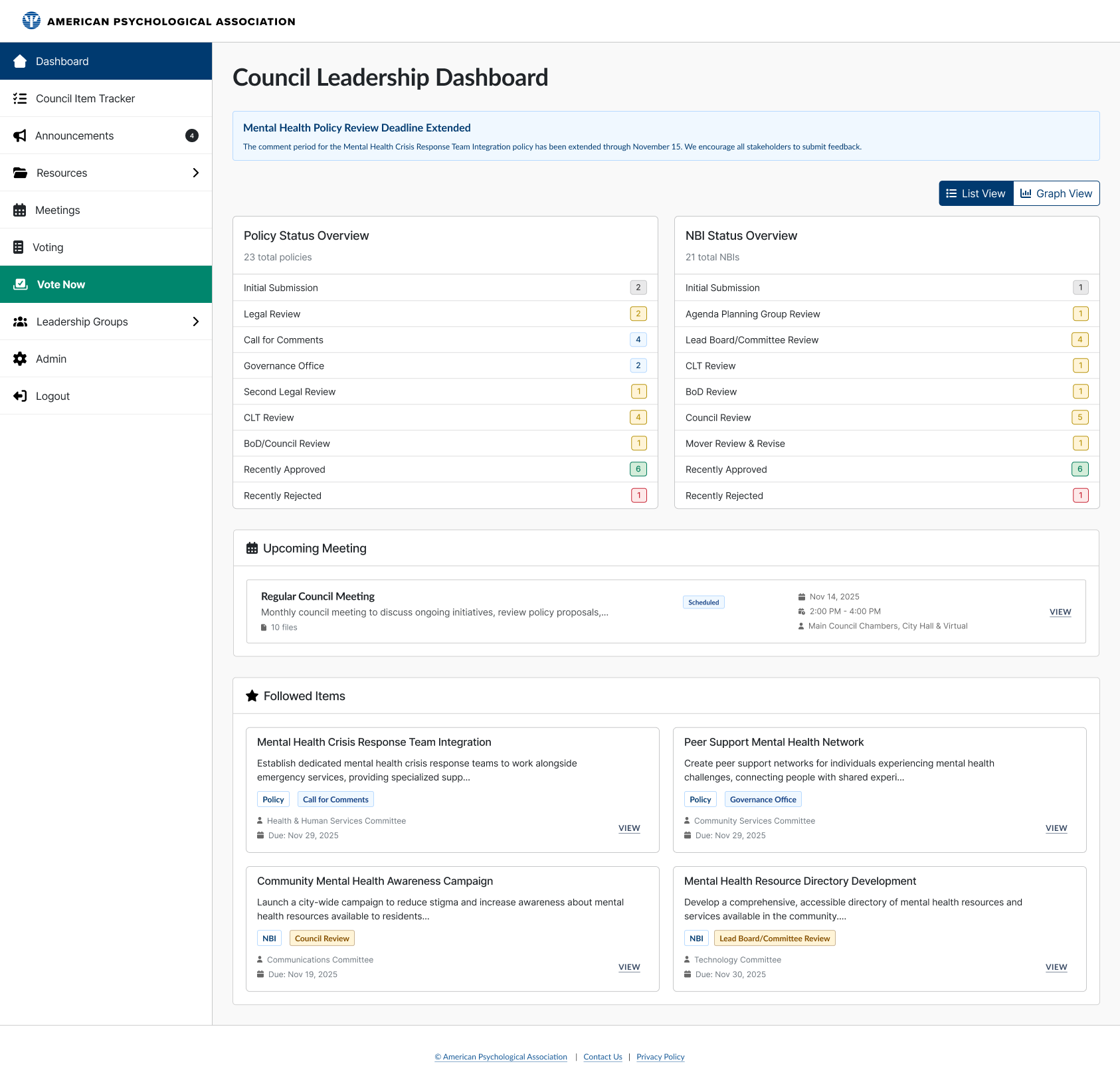
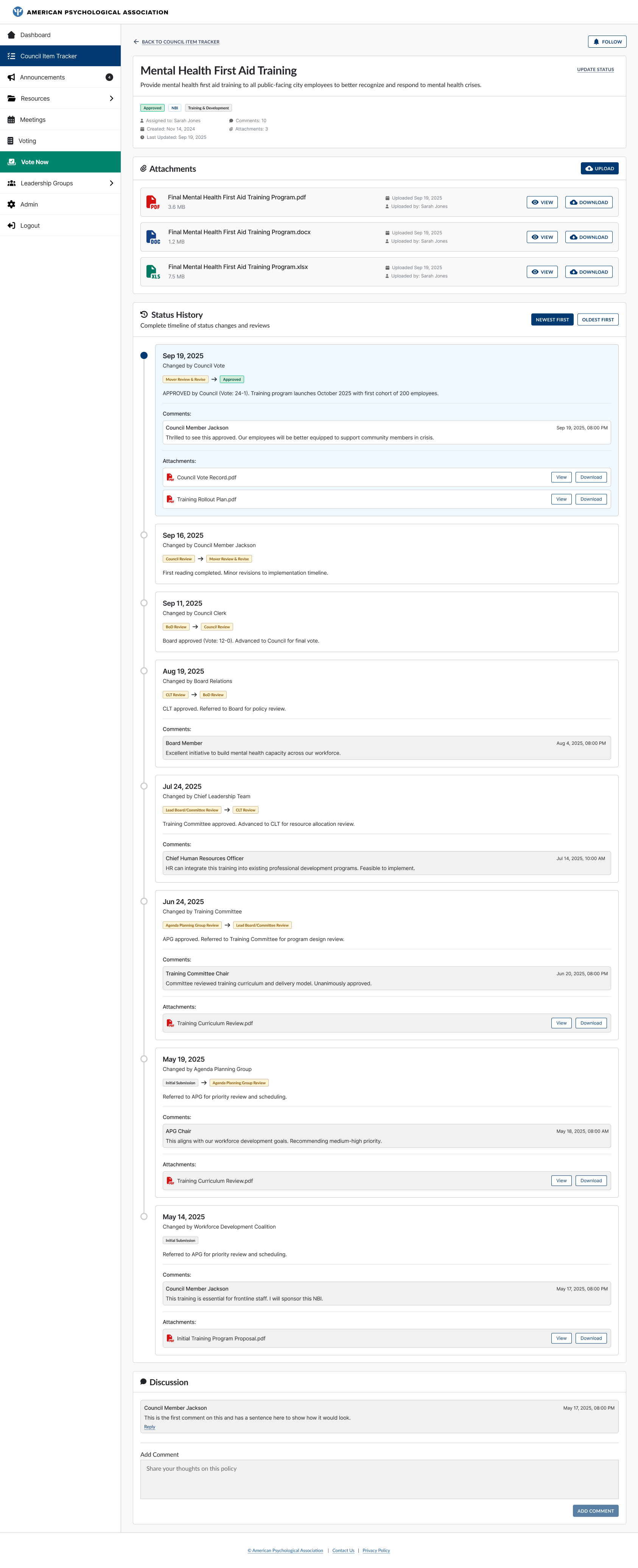
Much of the underlying interaction design relied on patterns these users already knew from similar tools, so the real challenge wasn’t novelty — it was pace and visibility. This was a fast-turnaround project with an unusually high level of organizational attention: I presented designs directly to the CEO and several council members during the design phase itself, which meant keeping communication tight and design reviews focused so that decisions and feedback moved as quickly as the timeline required.
This project also served as the UX team’s pilot for AI-assisted prototyping: I used Figma Make to build the initial prototype, iterating until it had all the interactions I was after, and only needed minor manual adjustment in Figma afterward to bring it fully in line with APA’s Pattern Library.
The response from council and leadership has been strongly positive — it’s still referenced internally as a successful project and as a successful early use of AI in our design process.